1 What is SQLTelebot
SQLTelebot is a plugin for SQLMessenger that connects your Telegram account with your database system. It enables you to automatically send and receive Telegram messages through SQLMessenger, streamlining communication and automating workflows.
With SQLTelebot, you can easily perform the following tasks:
Execute tasks upon receiving a new Telegram message: Trigger actions like generating a report and sending it to specific recipients when a new message is received.
Telegram-to-email forwarding: Forward the content of Telegram messages (text and files) to designated email addresses.
Email-to-Telegram forwarding: When a new email arrives, automatically send its contents (text and attachments) to a designated Telegram contact, group, or channel through your Telegram bot.
Send Telegram messages using SQL queries: If you are a database administrator, you can use SQLTelebot’s interface table to send Telegram messages (text or files) by executing SQL queries in your database.
Send Telegram messages in bulk: You can edit the messages to be sent in an Excel spreadsheet, and then use SQLTelebot to send these messages in bulk to your Telegram contacts, groups, or channels.
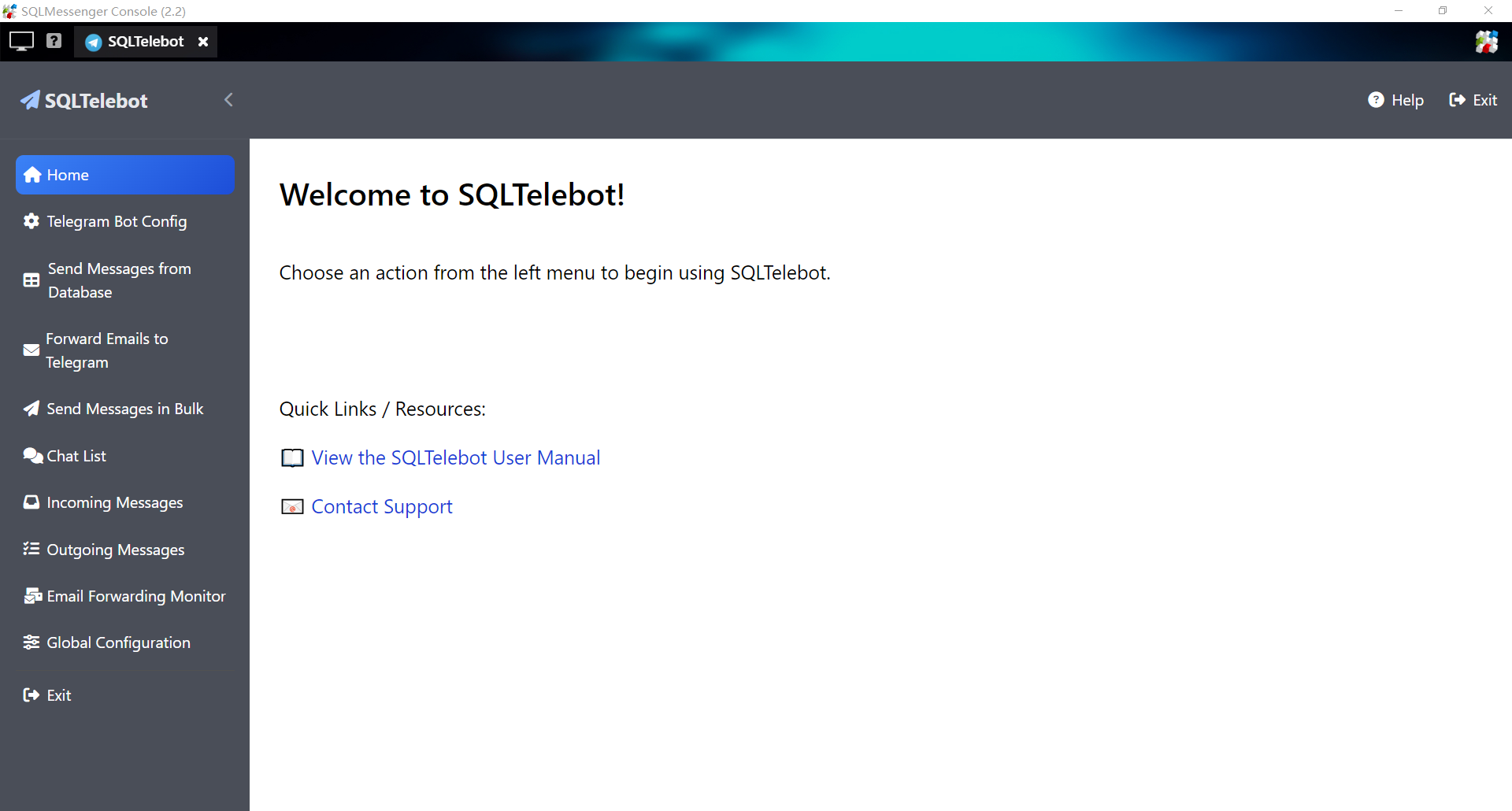
SQLTelebot User Interface
2 Get Started with SQLTelebot
Follow these steps to install and start using SQLTelebot:
1) Install the SQLTelebot plugin.
3) Configure your Telegram bots in SQLTelebot.
3 About Data Security
Your data and files are safe. All processing occurs locally on your computer, and no data is transmitted to external servers. Processed data and files are also stored exclusively on your computer.
4 About PostgreSQL
PostgreSQL is an open-source relational database developed by the PostgreSQL Global Development Group.
When installing SQLMessenger, the PostgreSQL database is automatically installed. SQLMessenger uses this database to store processed data.
For more details about PostgreSQL, visit https://www.postgresql.org/about/