1 Installing SQLTelebot Plugin
Note: If you are using SQLMessenger version 2.2.0008 or earlier, please upgrade to version 2.3.0001 or higher first. Click here to learn how to upgrade SQLMessenger.
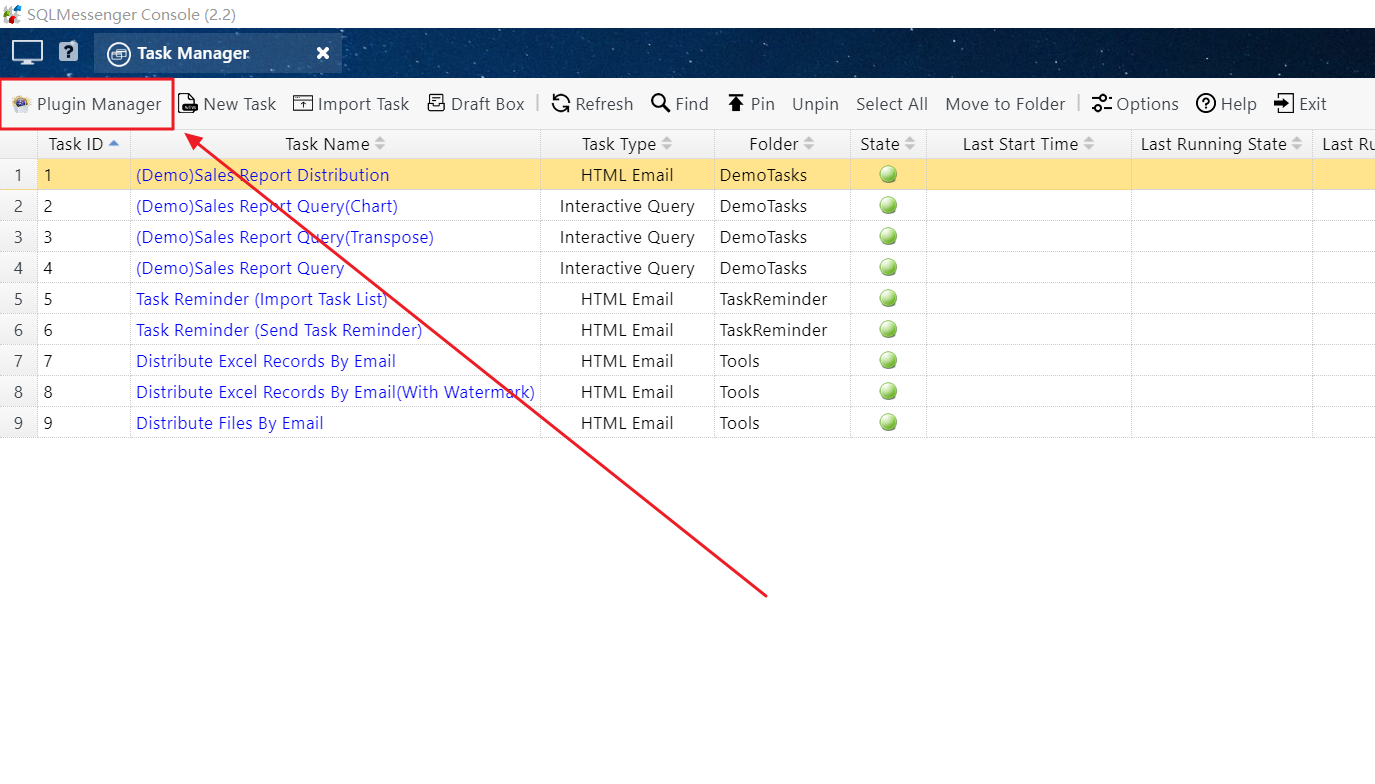
Step 1: In SQLMessenger's Task Manager, click the "PluginManager" button.
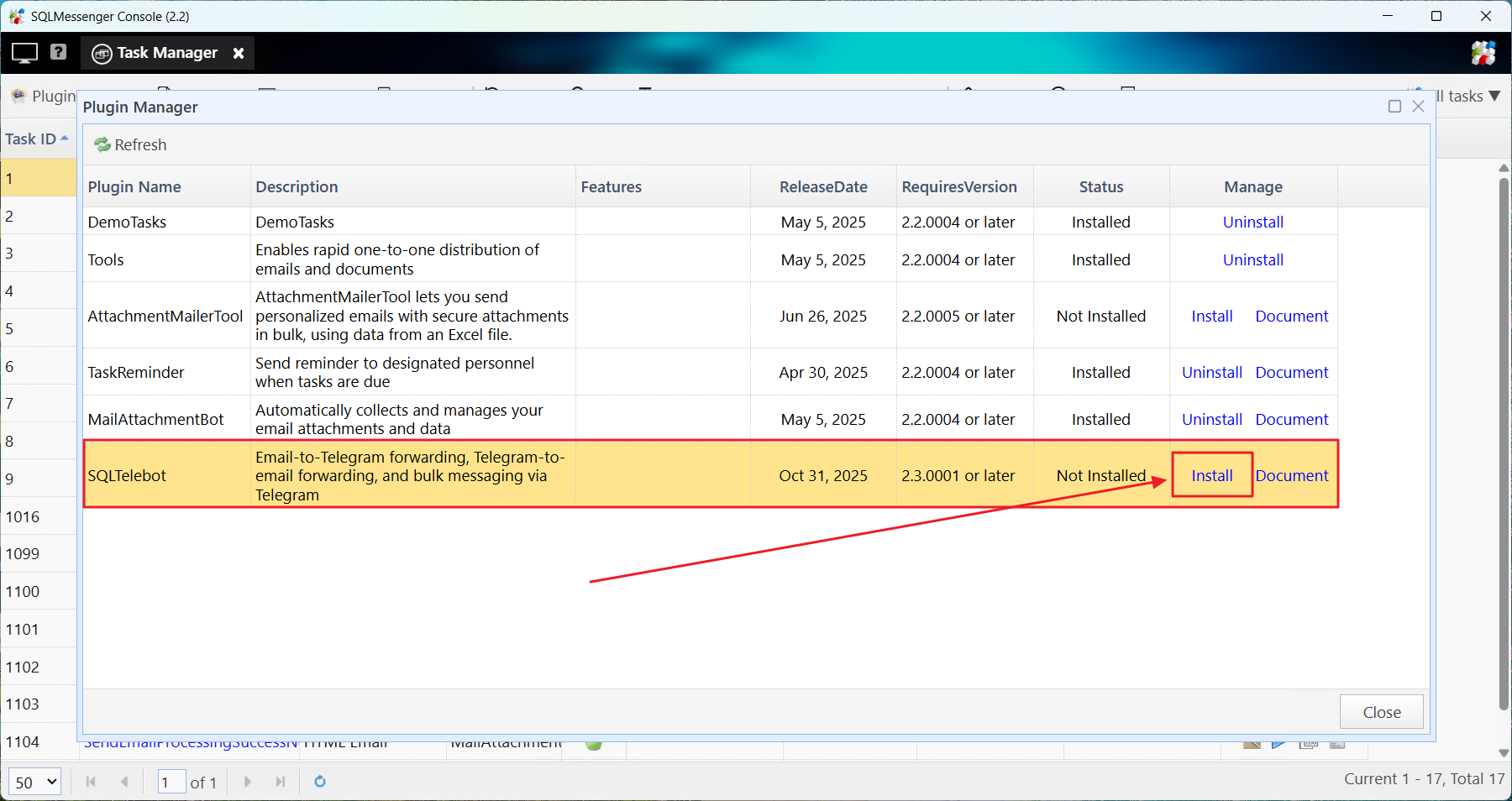
Step 2: Locate "SQLTelebot" in the plugin list and click the "Install" button on the right.
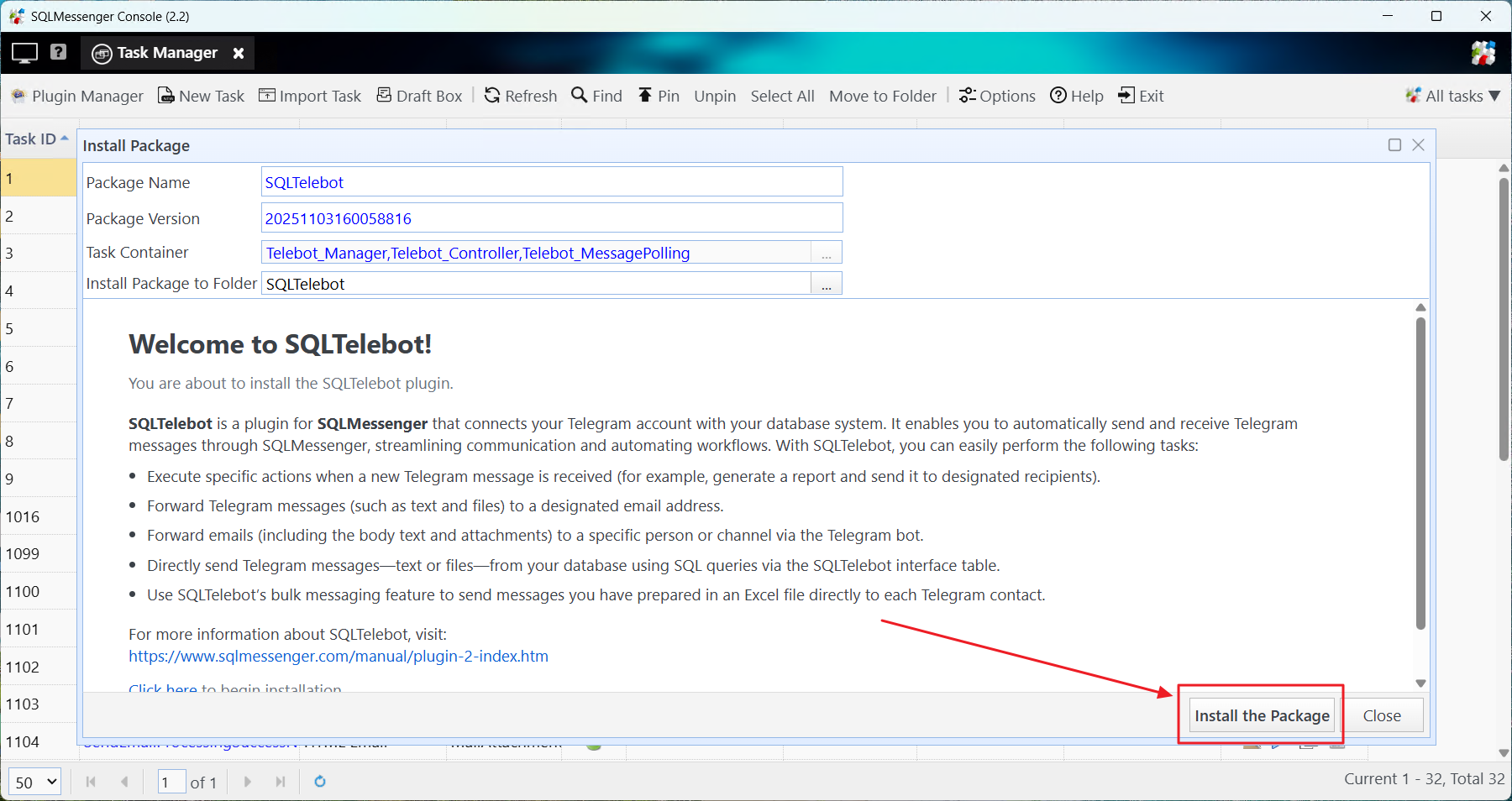
Step 3: In the "Install Package" dialog box, click the "Install the Package" button.
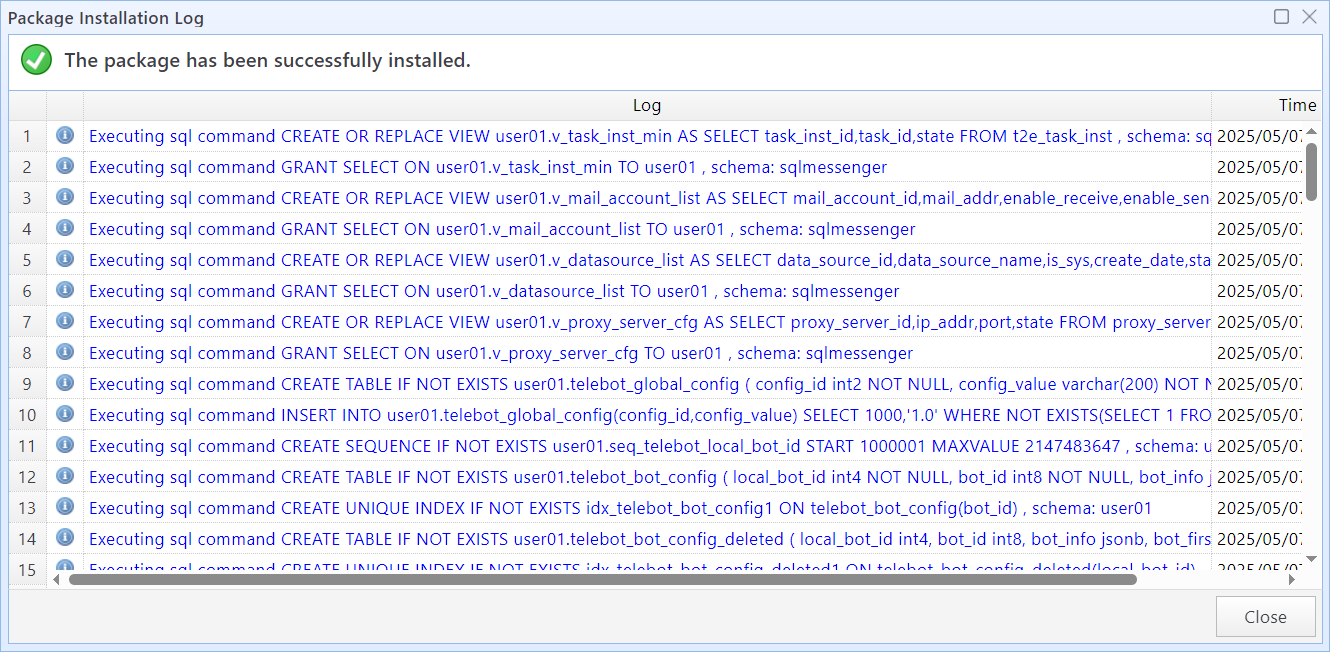
Plugin installed successfully
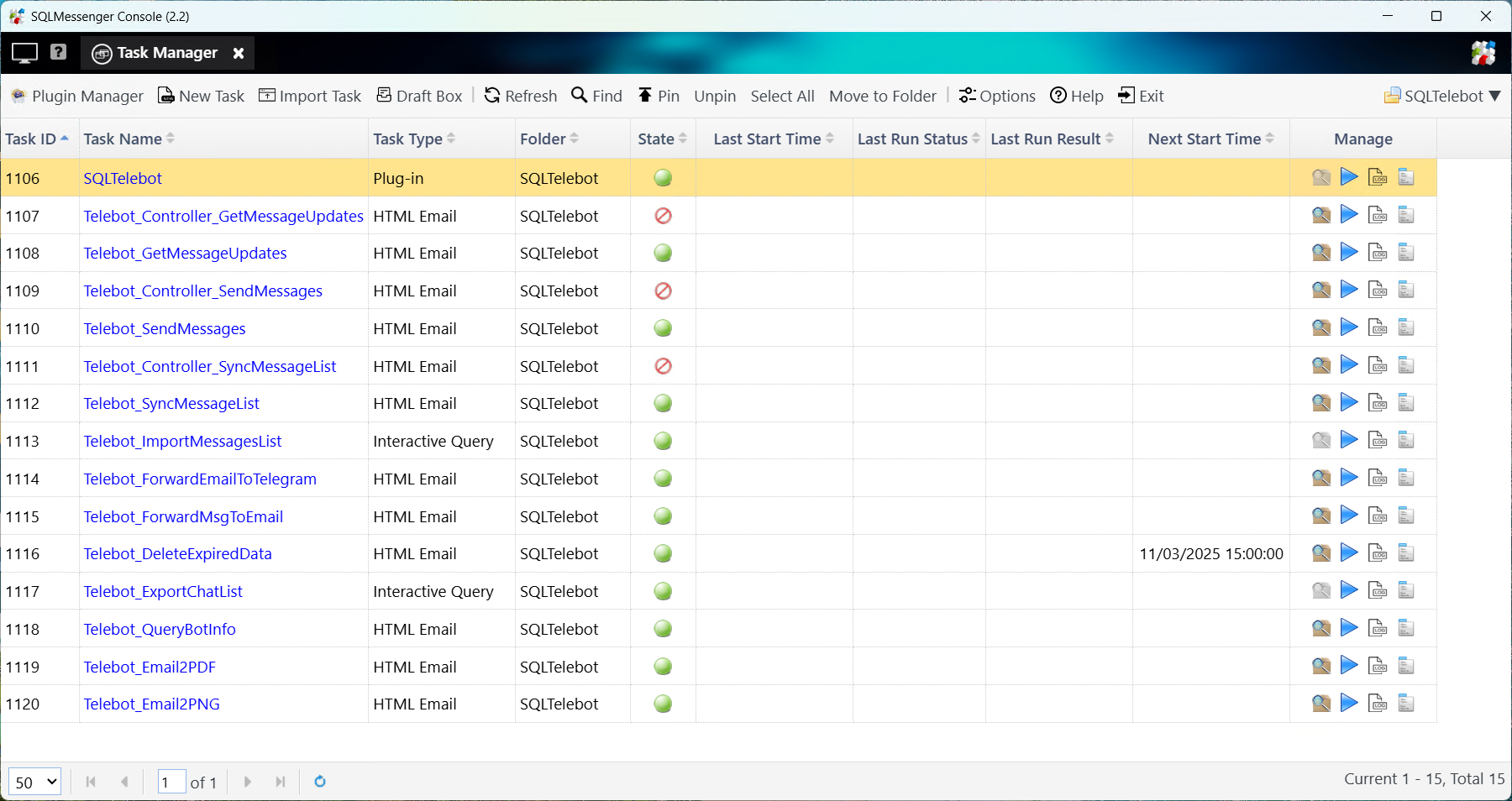
Tasks installed by SQLTelebot
2 Tasks in SQLTelebot
Installing SQLTelebot will create the following tasks in SQLMessenger.
| SQLTelebot | Configures SQLTelebot and manages message queues. |
| Telebot_Controller_GetMessageUpdates | Controller: Schedules "Telebot_GetMessageUpdates" to fetch messages from the Telegram Bot API. |
| Telebot_GetMessageUpdates | Calls the Telegram Bot API to retrieve new messages. |
| Telebot_Controller_SendMessages | Controller: Schedules "Telebot_SendMessages" to send messages via the Telegram Bot. |
| Telebot_SendMessages | Calls the Telegram Bot API to send messages. |
| Telebot_Controller_SyncMessageList | Controller: Schedules "Telebot_SyncMessageList" to synchronize data from external sources into SQLTelebot's message queue. |
| Telebot_SyncMessageList | Synchronizes data from external interface tables into SQLTelebot’s outgoing message queue. |
| Telebot_ForwardEmailToTelegram | Forwards emails to Telegram. |
| Telebot_ForwardMsgToEmail | Forwards Telegram messages to a designated email address. |
| Telebot_DeleteExpiredData | Automatically purges expired/old data from SQLTelebot at scheduled intervals. |
| Telebot_ExportChatList | Imports chat information into SQLTelebot's chat list upon receiving Telegram messages. |
| Telebot_QueryBotInfo | Retrieves bot information from Telegram during bot configuration. |
| Telebot_Email2PDF | Converts email content to PDF when forwarding to Telegram. |
| Telebot_Email2PNG | Converts email content to PNG images when forwarding to Telegram. |
3 Uninstalling SQLTelebot
If you no longer need SQLTelebot, you can uninstall the plugin from SQLMessenger.
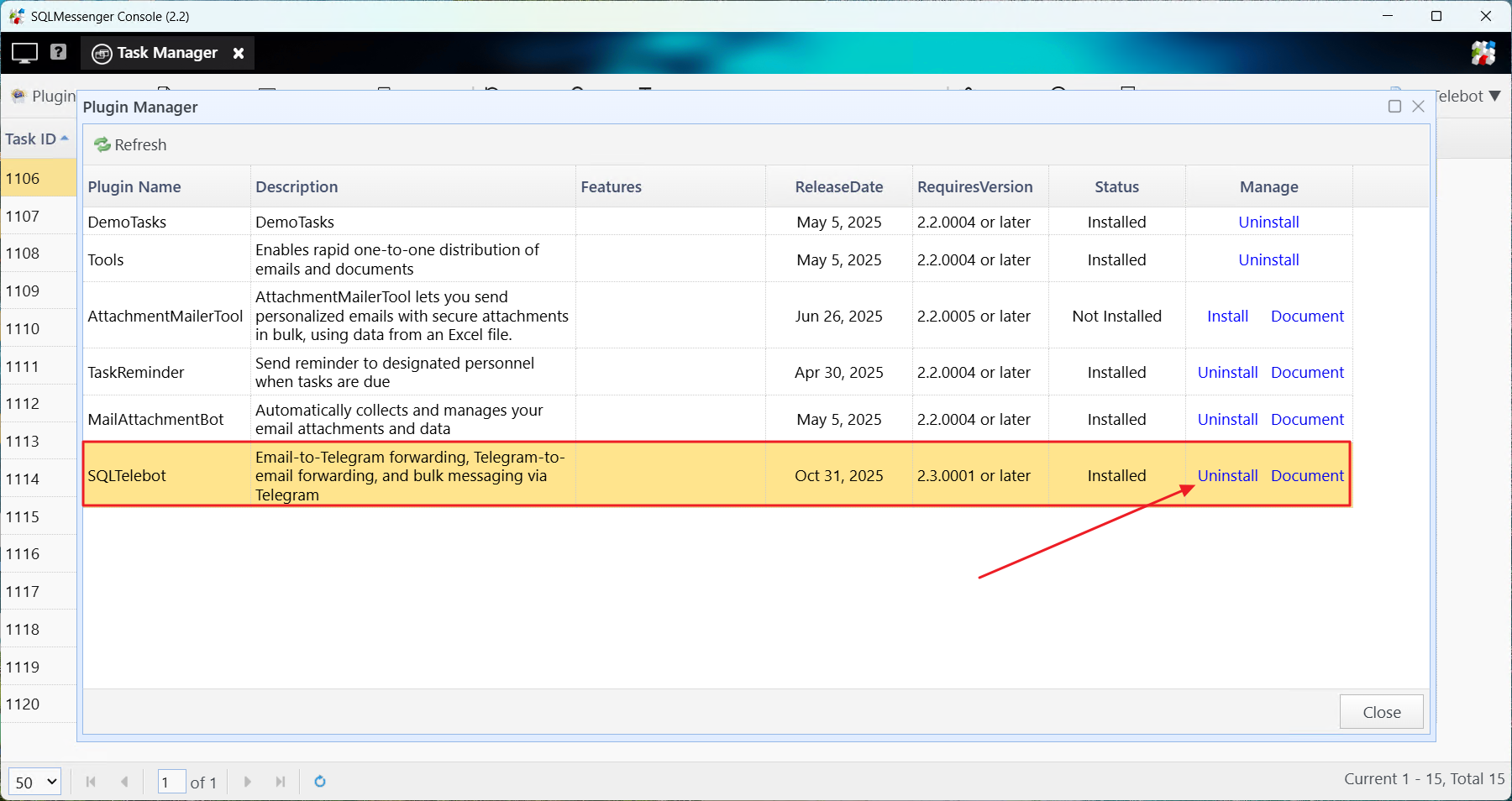
Step1: In SQLMessenger's Task Manager, click the "PluginManager" button.
Step2: Locate "SQLTelebot" in the plugin list and click the "Uninstall" button on the right.
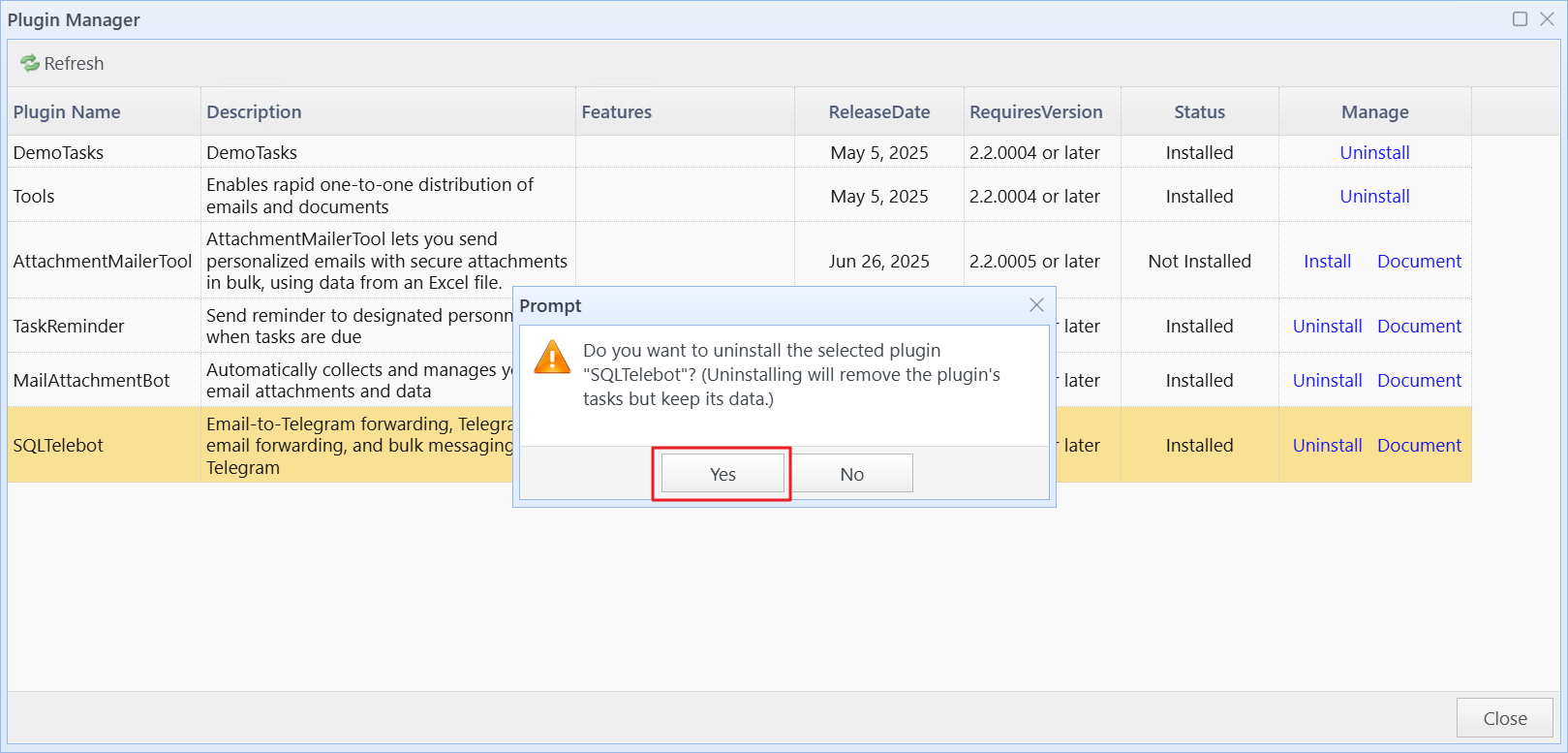
Note: Uninstalling the plugin will only remove its tasks, not the plugin data; to use SQLTelebot again, simply reinstall it via the Plugin Manager.