1 Create a Bot in Telegram
Before configuring SQLTelebot, you need to create a bot in Telegram.
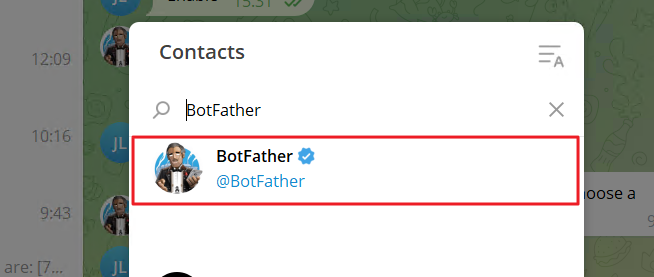
(1) Add "BotFather" as a contact in Telegram:
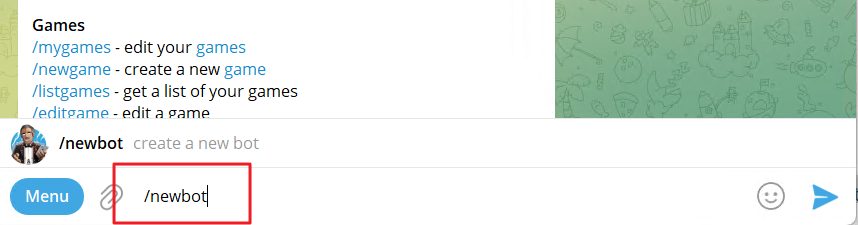
(2) Open the chat window with BotFather, type and send the command "/newbot":
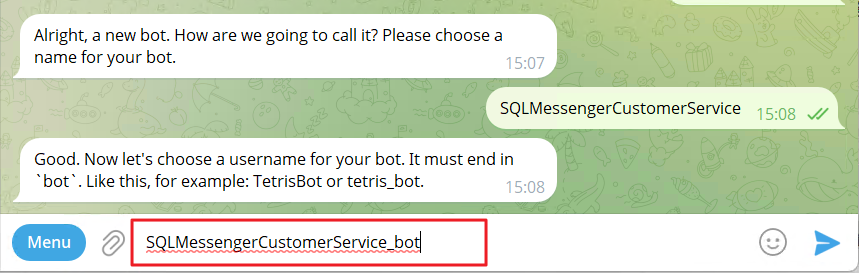
(3) Set a name for the bot.

(4) Set a username for the bot, and the username must end with "bot."
(5) After sending the username, the bot will be created. Telegram will display the new bot's information on the interface.
Find the line that says “Use this token to access the HTTP API”, and make sure to copy your bot token.
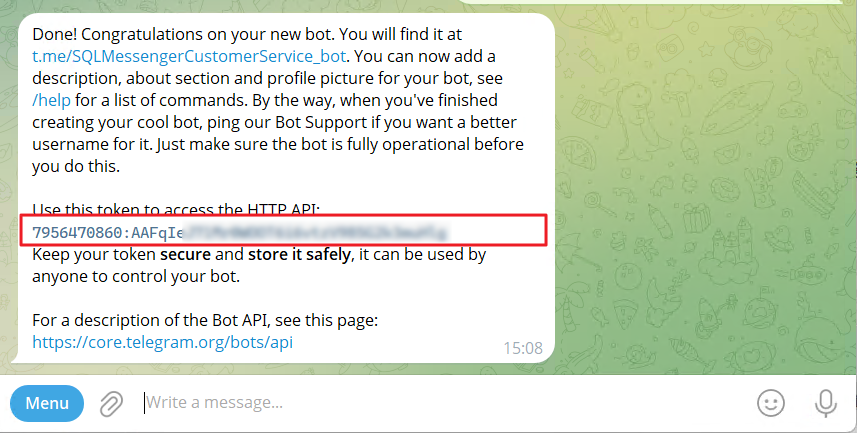
Note:Keep your token secure and store it safely. If the token is leaked, unauthorized users may gain control of your bot and cause potential damage to your system or data.
For more information on creating a Telegram Bot, please visit the official Telegram documentation at https://core.telegram.org/bots#how-do-i-create-a-bot
2 Configure the Telegram Bot in SQLTelebot
Once the Telegram bot is created, add its information to the SQLTelebot configuration. SQLTelebot will use this bot to send and receive Telegram messages. You can configure multiple bots in SQLTelebot.
Note: If you connect to Telegram through an HTTP proxy, make sure to configure the proxy settings in Global Config before setting up your Telegram bot. Click here for detailed instructions.
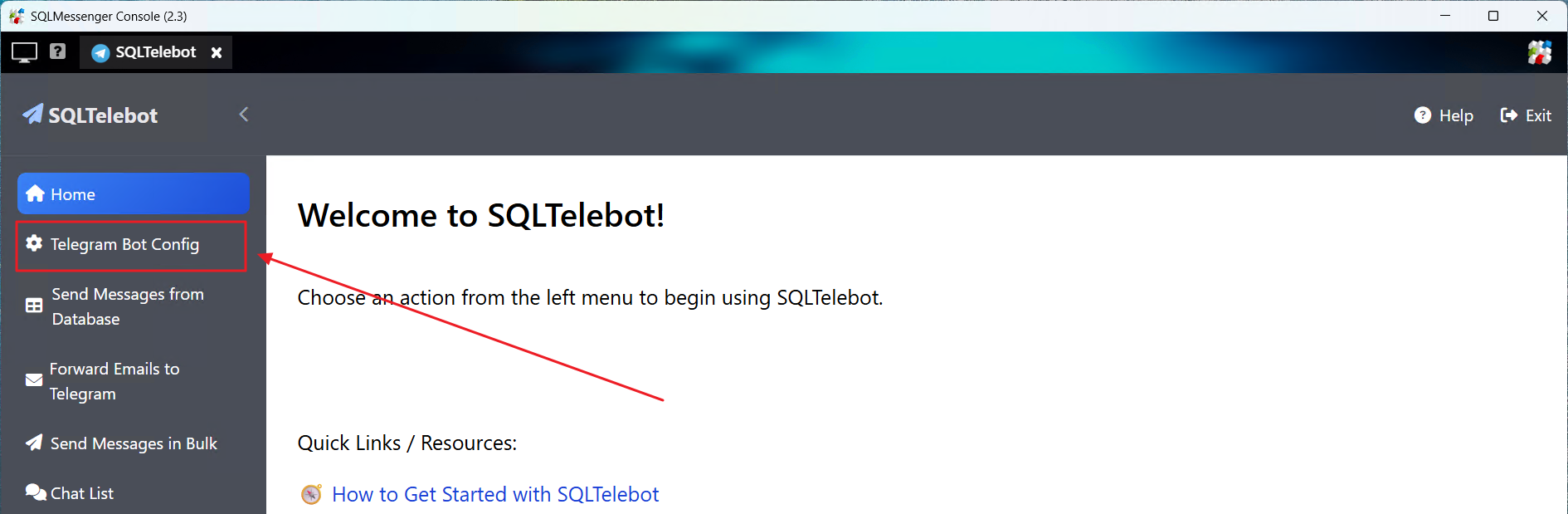
(1) In SQLTelebot Manager, click "Telegram Bot Config" to open the Telegram Bot Config interface.
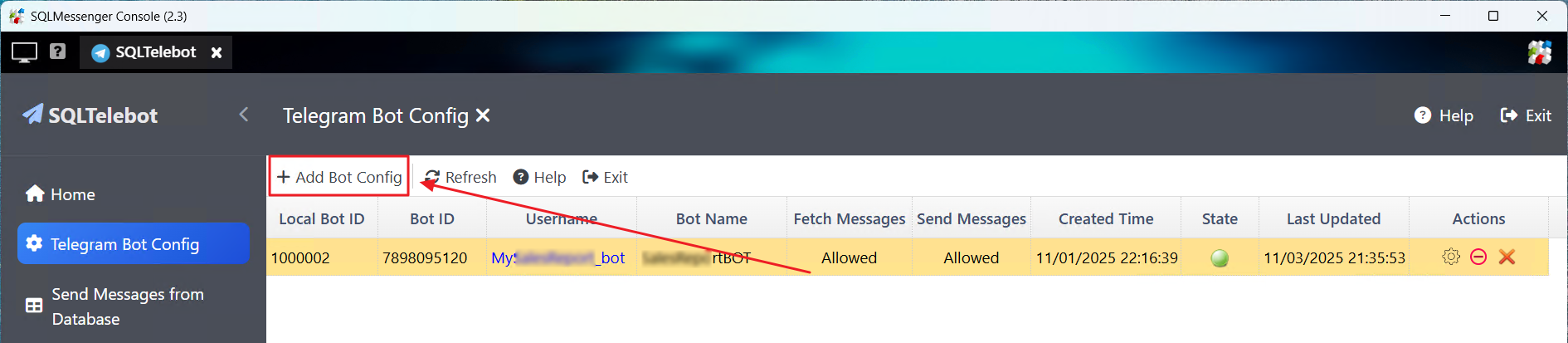
(2) In this interface, click the "Add Bot Config" button to open the "Edit Bot Config" dialog box.
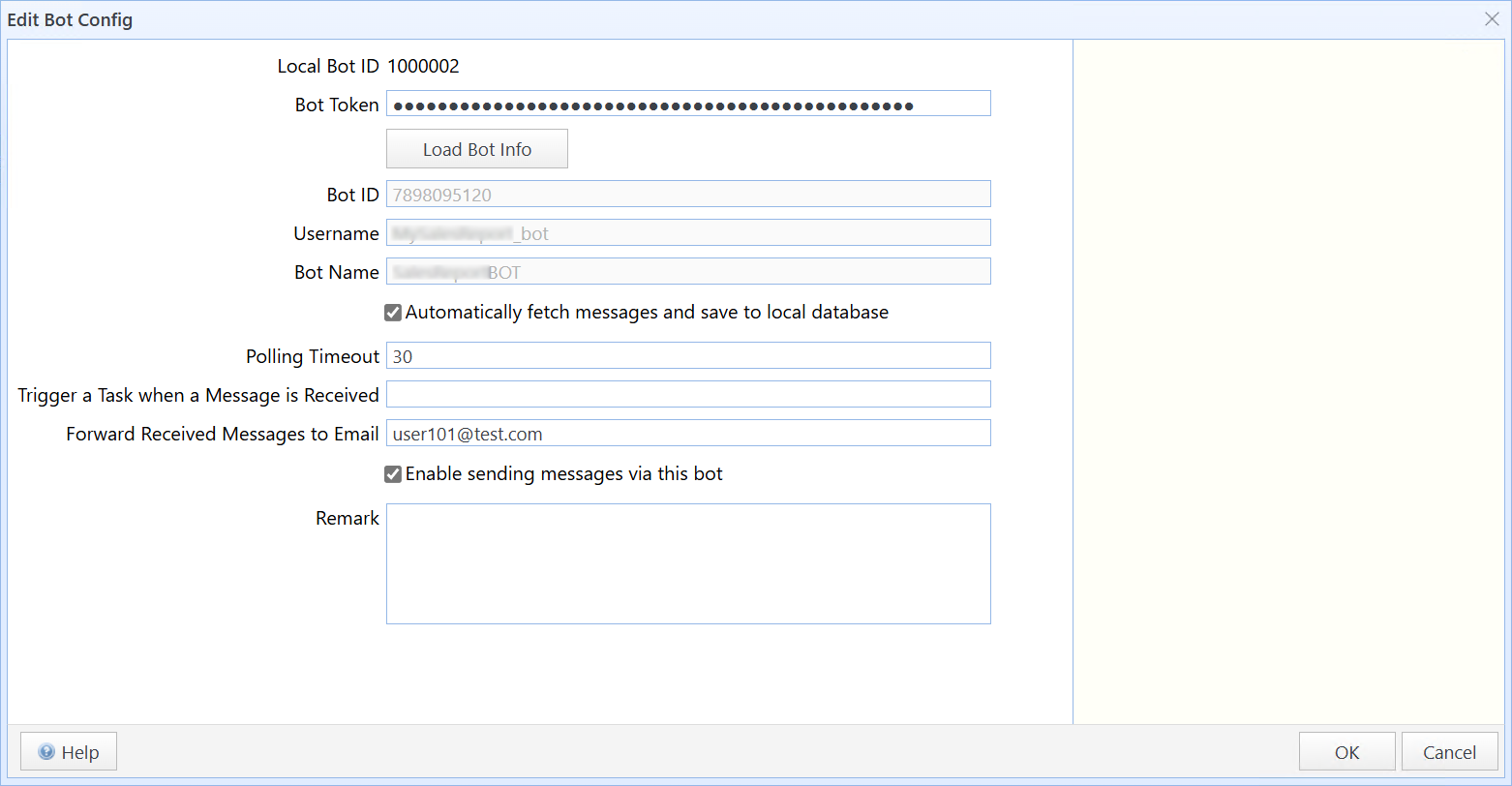
Edit Bot Config
In this dialog box:
Bot Token |
Enter your bot token, then click Load Bot Info. The system will use the entered bot token to retrieve the corresponding bot information. Note: The Bot Token will be encrypted and stored in your SQLMessenger's database. The Bot Token is only displayed once during input. It will not be shown again when you reopen this dialog. Please keep your bot token safe to prevent loss or leakage. |
Bot ID |
Display the Bot ID retrieved from Telegram (generated by the Telegram platform). |
Username |
Display the Bot Username retrieved from Telegram. |
Bot Name |
Display the Bot Name retrieved from Telegram. |
Automatically fetch messages and save to local database |
When this option is enabled, the system will automatically call Telegram's "getUpdates" API to retrieve messages received by this bot. Note: Retrieved messages are stored in the PostgreSQL database on your computer. You can process these messages using other tasks or configure SQLTelebot to forward them to a specified email address. The bot can only retrieve messages sent directly to it. To receive messages from a group or channel, the bot must be added as an administrator in that group or channel. SQLTelebot automatically updates the bot's update_id to prevent fetching duplicate messages from Telegram's platform.If other applications are using the same Bot Token to fetch messages, they may fail to receive new updates. For details, visit: https://core.telegram.org/bots/api#getupdates |
Polling Timeout |
Set the timeout duration for each polling attempt to fetch new messages. Default: 30 seconds. |
Trigger a Task when a Message is Received |
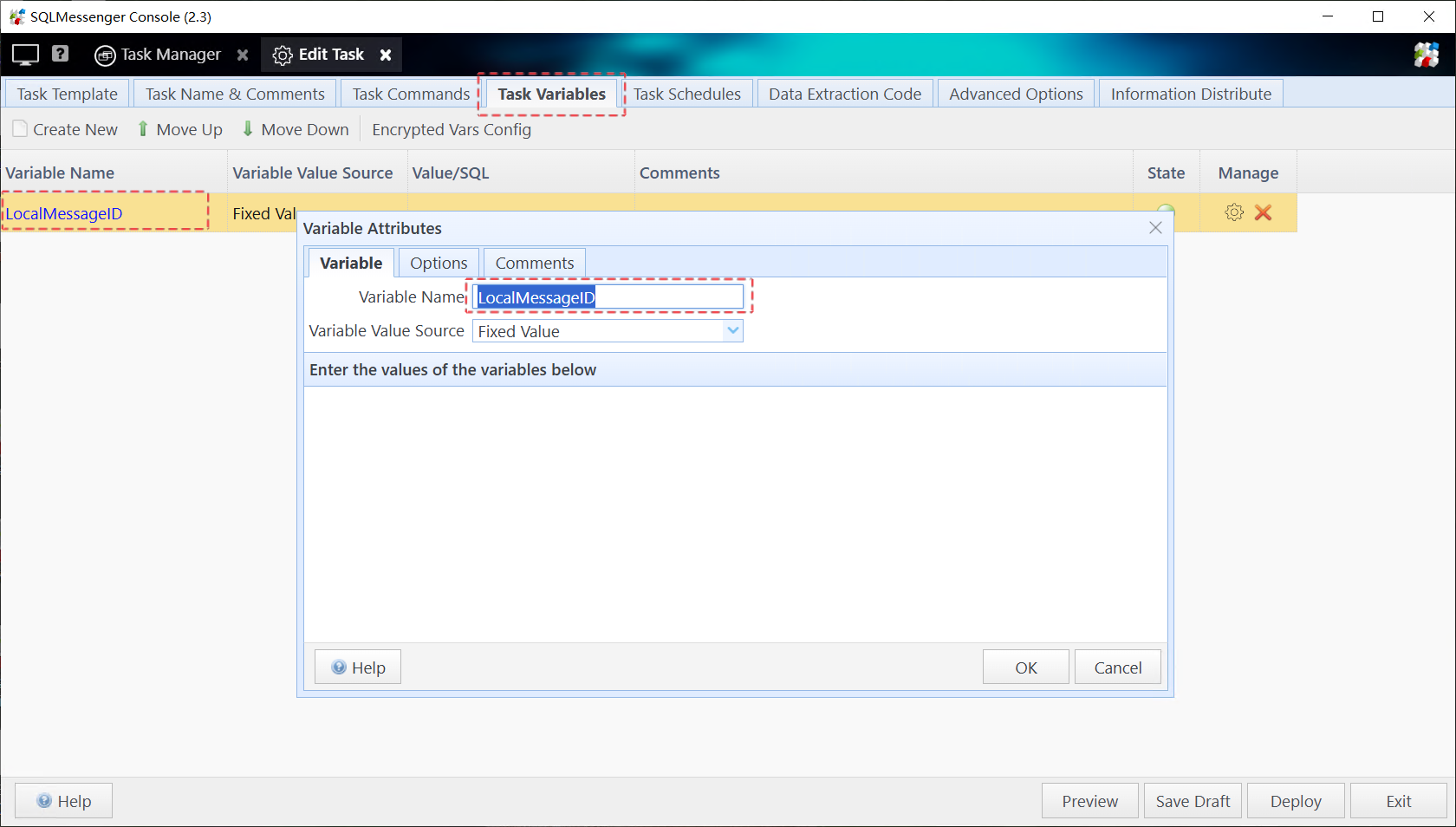
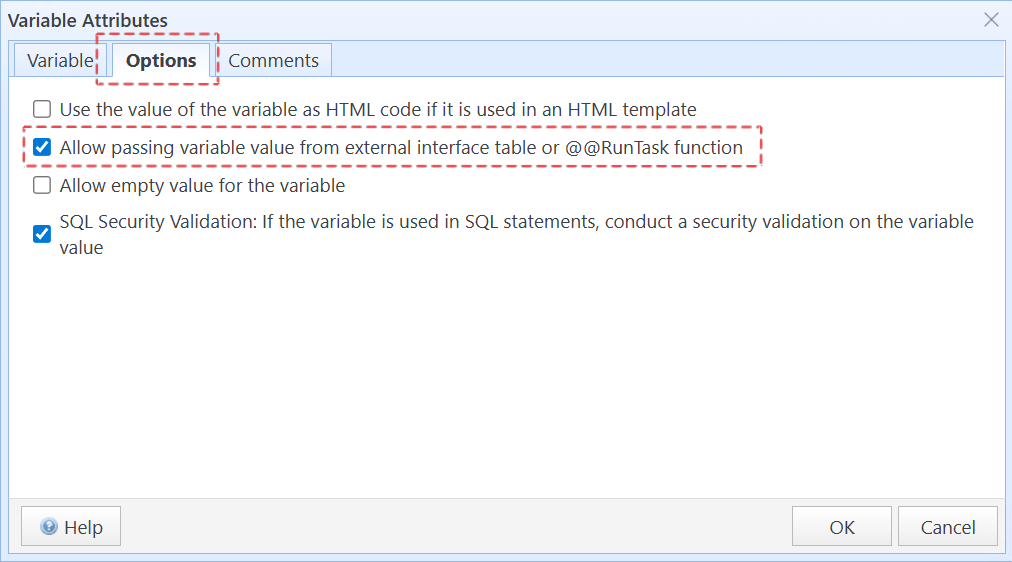
You can specify the name of a task to be executed when new messages are received. SQLTelebot will run the specified task each time new messages are polled. In the task you intend to trigger, a task variable named LocalMessageId must be defined, and the option “Allow passing variable value from external interface table or @@RunTask function” must be enabled. When SQLTelebot starts this task, it will pass the received message’s local_message_id to this variable.
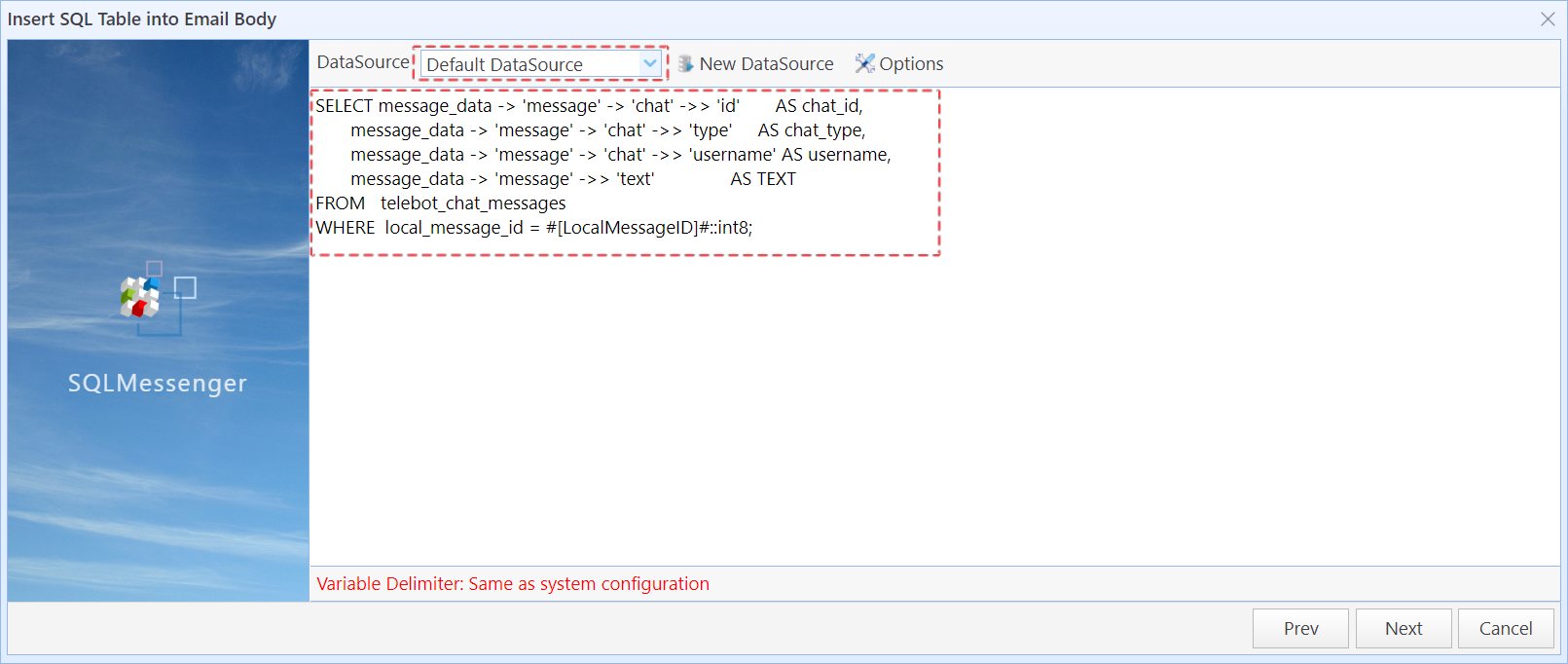
You can use this variable within your task to query message details from SQLMessenger’s default data source, for example:
SELECT message_data -> 'message' -> 'chat' ->> 'id' AS chat_id,
message_data -> 'message' -> 'chat' ->> 'type' AS chat_type, message_data -> 'message' -> 'chat' ->> 'username' AS username, message_data -> 'message' ->> 'text' AS TEXT FROM telebot_chat_messages WHERE local_message_id = #[LocalMessageID]#::int8;
Note: SQLTelebot stores received messages in JSON format in the telebot_chat_messages table of SQLMessenger’s default data source (a PostgreSQL database). For details about the JSON structure, please refer to the Telegram Bot API documentation at getting-updates: https://core.telegram.org/bots/api#getting-updates. |
Forward Received Messages to Email |
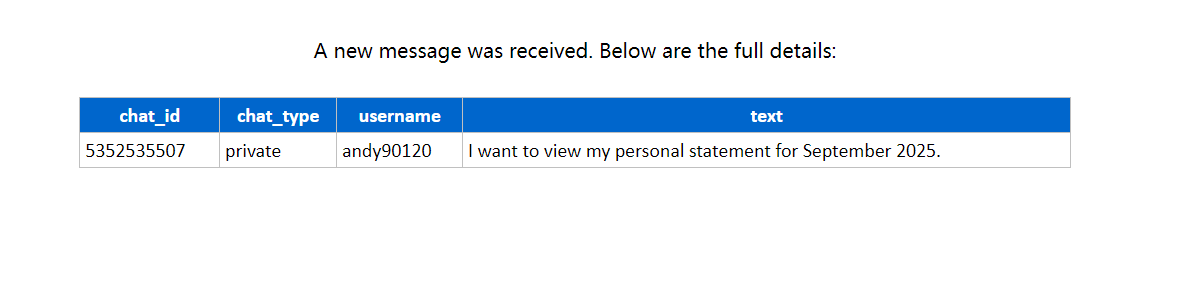
If email addresses are set in "Forward Received Messages to Email", SQLTelebot will forward the newly received messages to the email addresses you specified. You can specify multiple email addresses, separated by semicolons (“;”). Note: This feature requires you to configure email accounts for sending emails in "Email Accounts Manager" before it can be used. For more details, visit Email Account Management |
Enable sending messages via this bot |
When this option is enabled, you can use the bot to send Telegram messages to specific users or groups. |
After all options are configured, click OK. The system will save the bot’s configuration to SQLMessenger’s database, and the bot’s token will be stored in encrypted form.