Message Review & Approval
1. Message Review & Approval Overview
To ensure content accuracy, SQLMessenger enables you to review task-generated messages (emails and Slack messages) before they are sent.
Enable Send task-generated emails and messages only after my approval in the task configuration. After task execution, generated messages are placed in a review queue and will be sent only after approval.
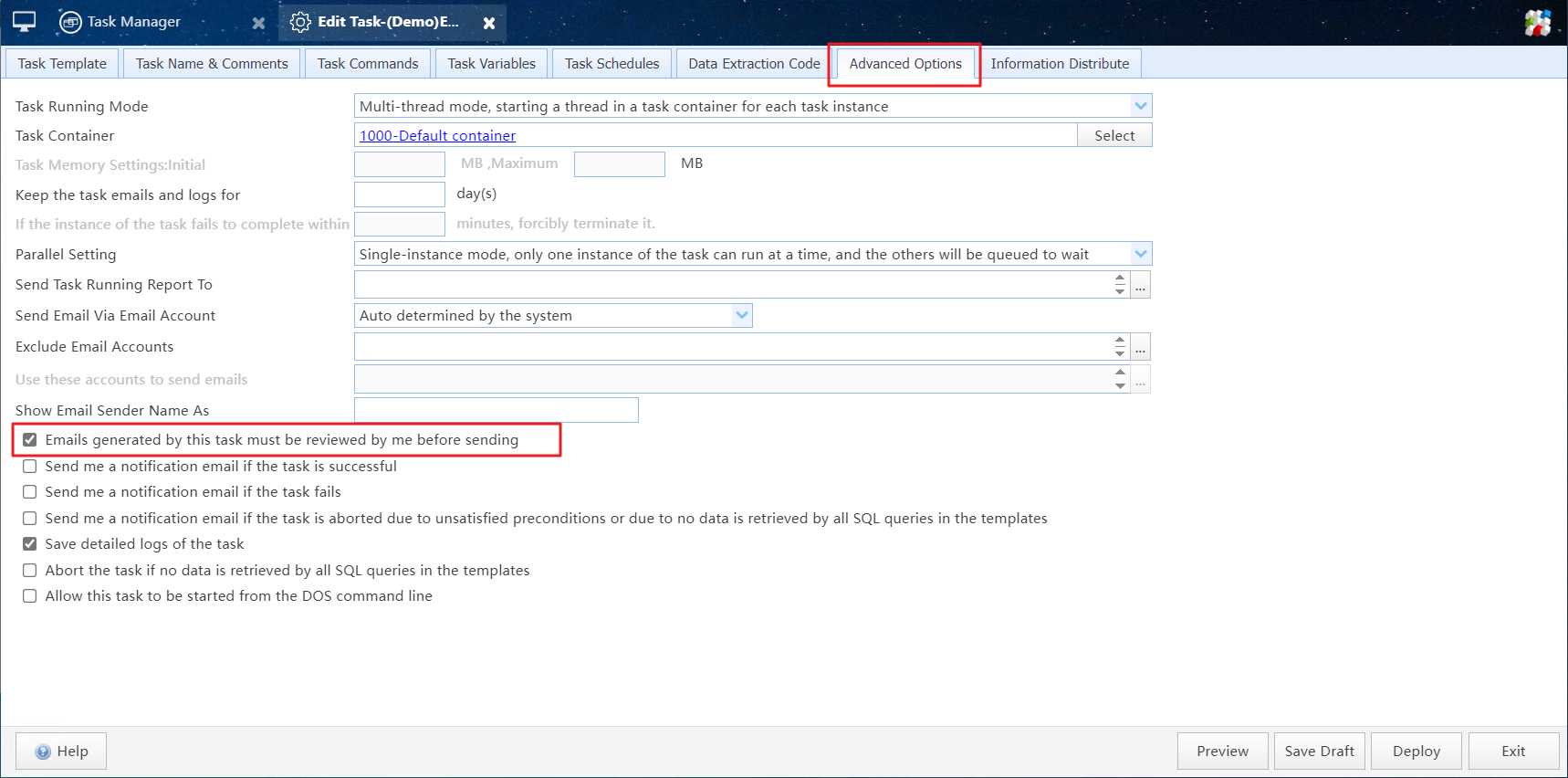
Enable Send task-generated emails and messages only after my approval in the task configuration
2. Message Review & Approval
Click the Message Approval icon in the MainMenu to open the Message Approval list.
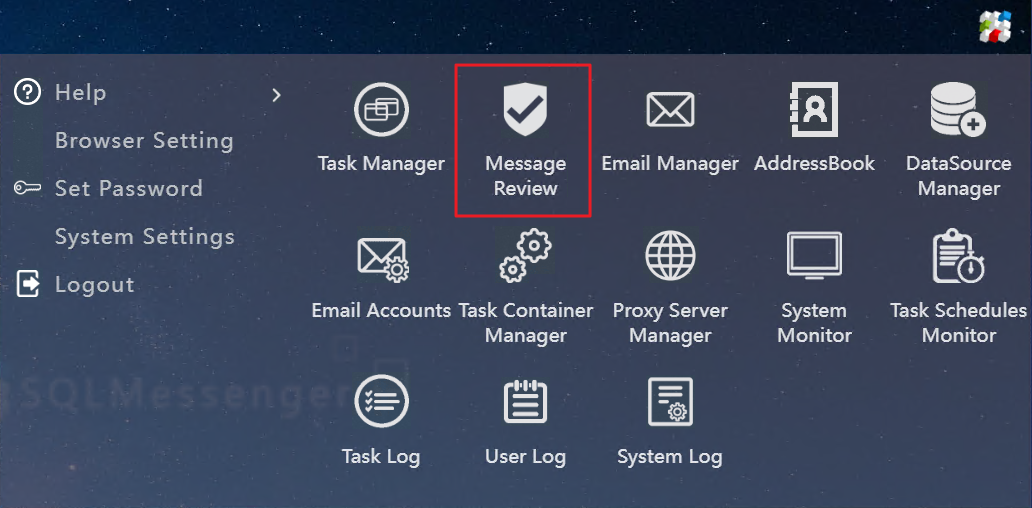
Click the Message Approval icon in the MainMenu
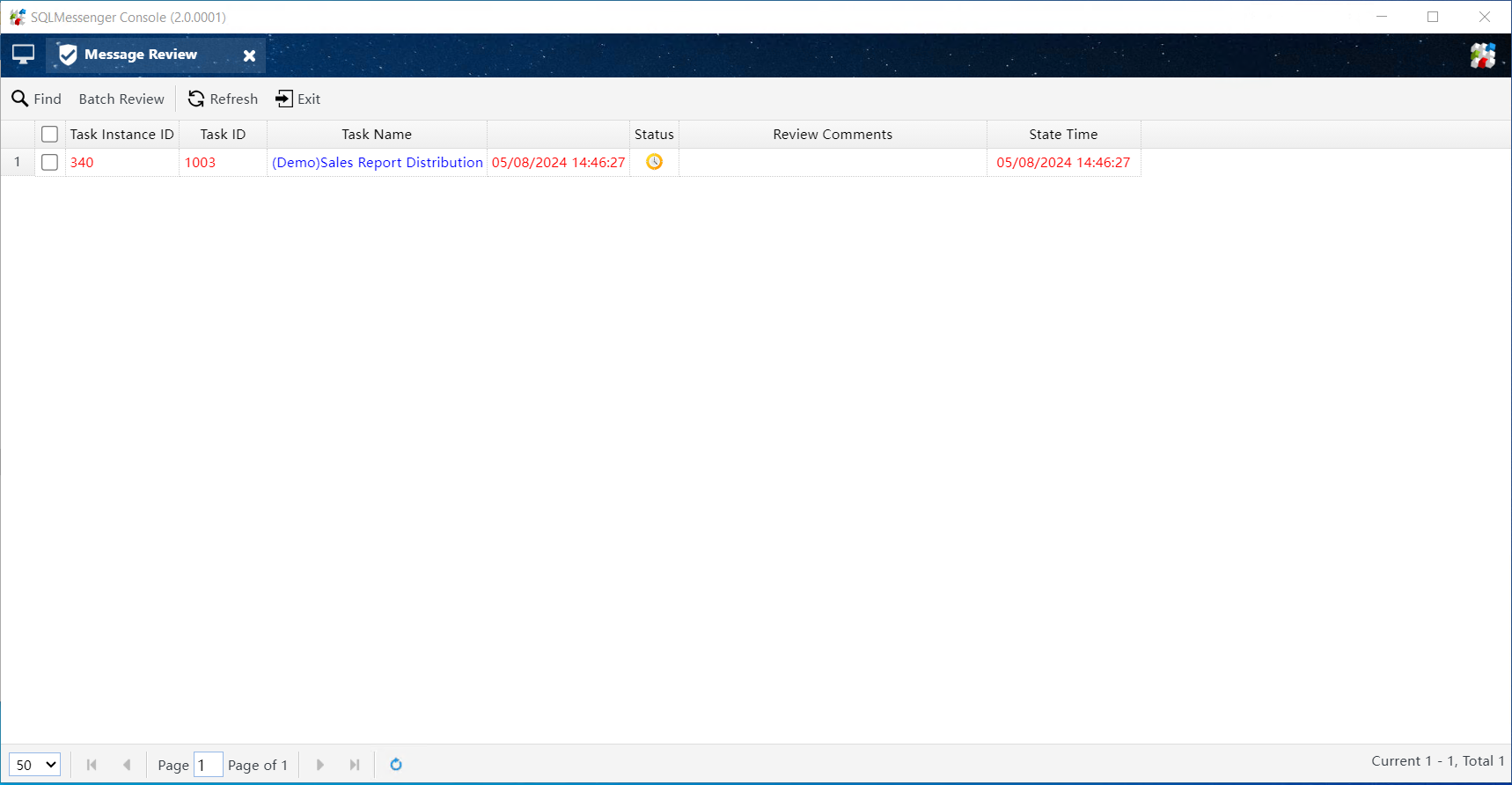
Message Approval List
This list displays task instances pending review. Click the Task Name column to open the review dialog for the corresponding task instance.
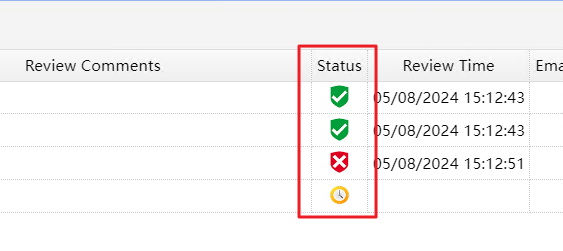
Message Approval Status
 |
The task instance is pending review. |
 |
The task instance is approved. |
 |
This task instance is rejected during review. Messages generated by the instance are deleted by the system, will not be sent, and cannot be manually forwarded. |
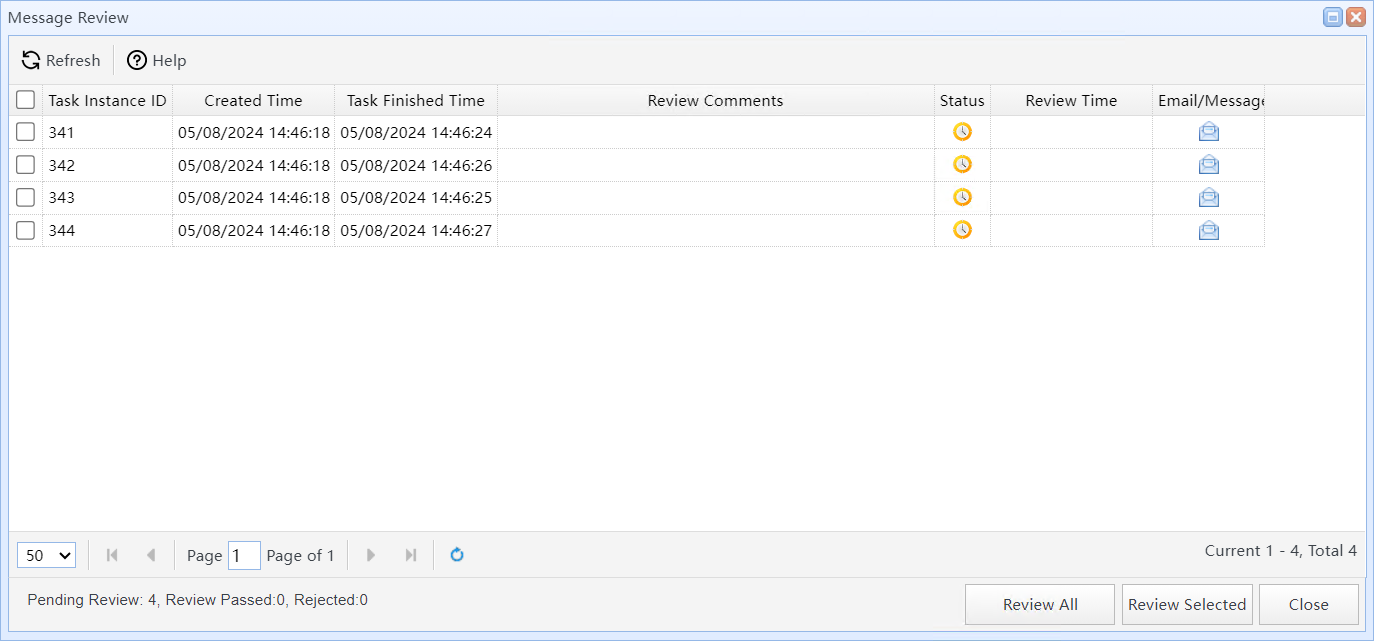
Message Approval Dialog
In this dialog, click the  icon to view the message content. After verifying the content is correct, select the items to review in the list and click Review Selected to process them. Alternatively, click Review All to review all messages generated by this task instance.
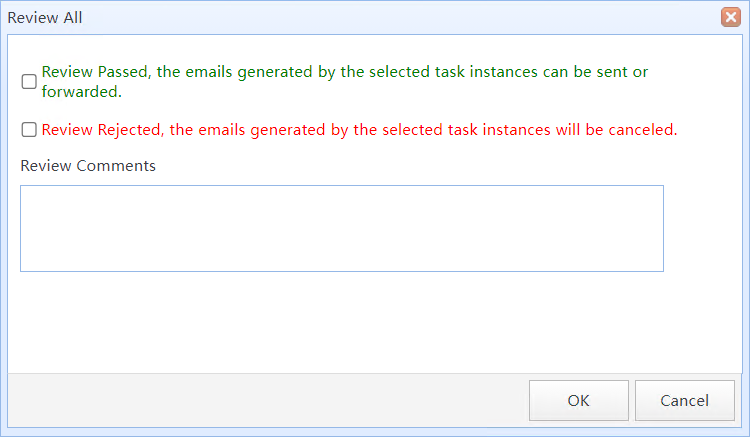
Message Approval Dialog
In this dialog box, select your review result and enter Comments (optional). Click OK to save.
After saving the review result, the system processes messages according to your decision.
If you select Approve and send messages and the task instance’s Do not send emails and messages option is not enabled, the system adds these messages to the sending queue for delivery.
If the review result is Reject and delete messages, these emails will be deleted by the system and will not be sent, nor can they be manually forwarded.