Home Docs Changelog Download Pricing Customer Portal Contact

How to customize a task's shortcut icon?
I want to customize a shortcut icon for a task. How should I set it up?
You can set an icon you like for the task in the task configuration.

Step 1: Enter the URL of your icon file in the "Shortcut Icon URL" field on the "Task Name & Comments" page of the Task Configuration window.
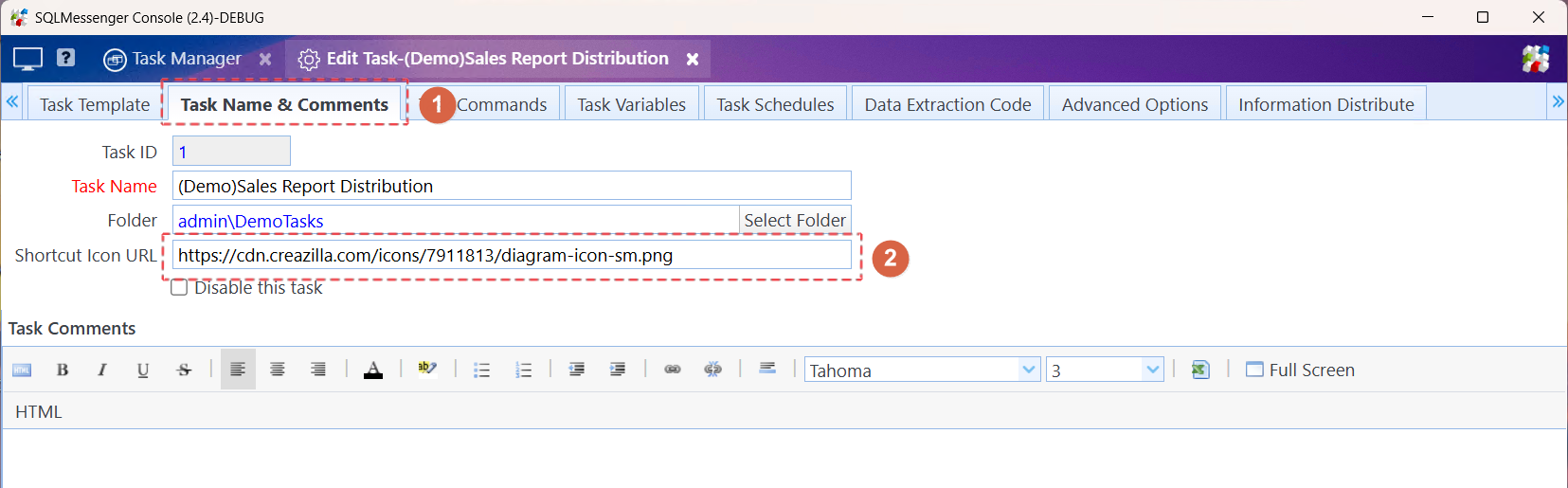
Enter the URL of the icon file

Enter the URL of the icon file

Step 2: Click the "Deploy" button to make the new configuration take effect.
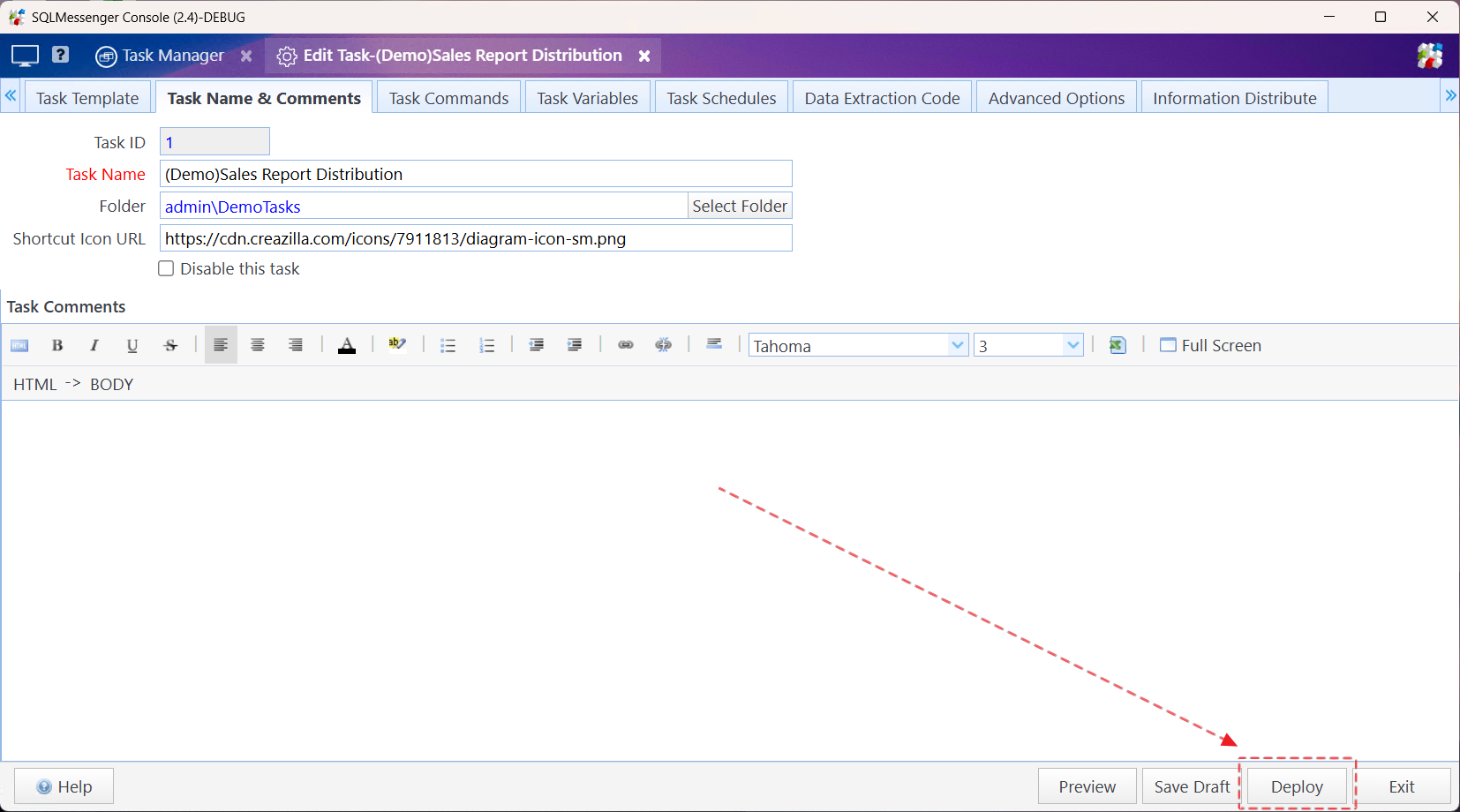
Click the "Deploy" button to make the new configuration take effect

Click the "Deploy" button to make the new configuration take effect

Step 3:Press F5 to refresh the console page, and you will be able to see the new task icon.

You can see the new icon after refreshing the page

You can see the new icon after refreshing the page

Tips:

If you want to set a local icon file, please follow the steps below.

(1) Copy the icon file to the web\images directory under the SQLMessenger installation directory. If the web\images directory does not exist, you can create a new one.
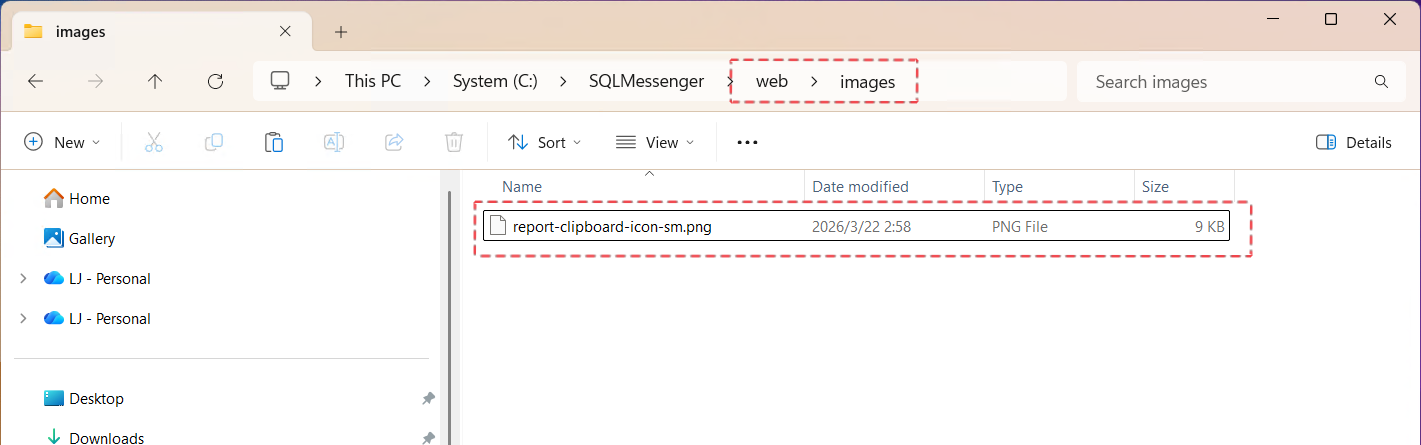
You can see the new icon after refreshing the page

(2) Enter "images/your icon file name" in the "Shortcut Icon URL" field. After clicking "Deploy" and refreshing the console page, you can see the new icon.
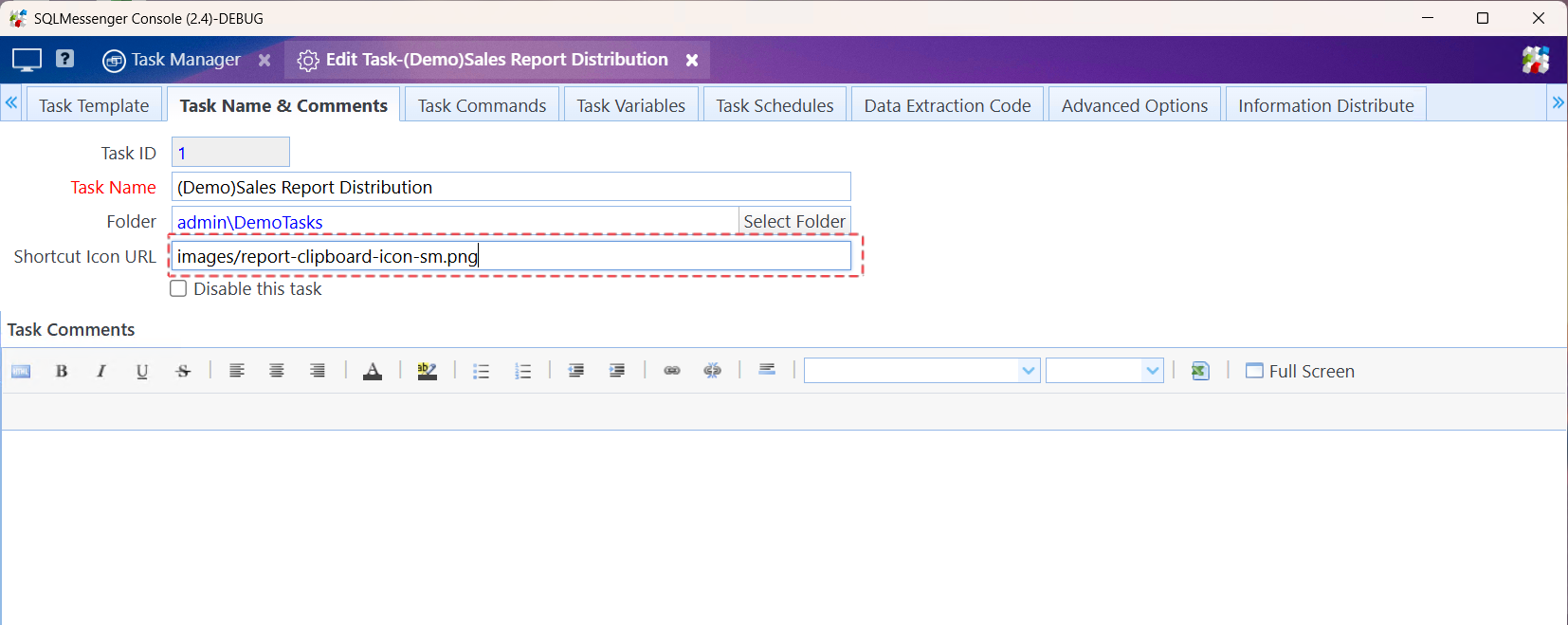
Enter the icon file name

Last updated on March 22, 2026

Cookie Settings

We use cookies to enhance your browsing experience, serve personalized content, and analyze our traffic. By clicking "Accept All", you consent to our use of cookies in accordance with our Cookie Policy.

You can change your preferences at any time by clicking on "Cookie Settings" in the website footer.

Cookie Preferences

Manage your cookie preferences. You can enable or disable different types of cookies below. Necessary cookies cannot be disabled as they are required for the website to function properly.

Necessary Cookies

Always active

These cookies are essential for the website to function and cannot be switched off. They are usually only set in response to actions made by you such as setting your privacy preferences, logging in or filling in forms.

Preferences Cookies

Makes the site easier to use

These cookies allow the website to remember choices you make and provide enhanced, more personal features.

Analytics Cookies

Helps us improve our website

These cookies help us understand how visitors interact with our website, which helps us improve our products and services.

Marketing Cookies

Used to track visitors across websites

These cookies are used to track visitors across websites. The intention is to display ads that are relevant and engaging.

Leave us a message.